> ## Documentation Index
> Fetch the complete documentation index at: https://docs.kyos.bot/llms.txt
> Use this file to discover all available pages before exploring further.
# Music
> Listen to music within your voice channels.
Listen to music within your voice channels.
## Configuration
### Setting the music channel
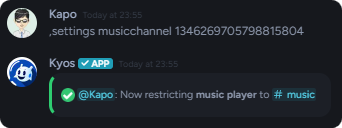
You may set a **music only** channel which will restrict the music player commands to your desired text channel.
It may take up to **15 minutes** for kyos to restrict the commands.
```javascript Syntax theme={null}
,settings musicchannel (channel)
```
```javascript Example theme={null}
,settings musicchannel #music
```
 ## Queueing Music
You can queue music with the `play` command.
You may search various sources with the `play` command
```javascript Syntax theme={null}
,play (query or URL)
```
```javascript Example theme={null}
,play GOLIATH
OR
,play https://open.spotify.com/track/62Z5rlfm5y3VU8Q3QXceLT
```
## Song Queueing
### Viewing the tracks in the queue
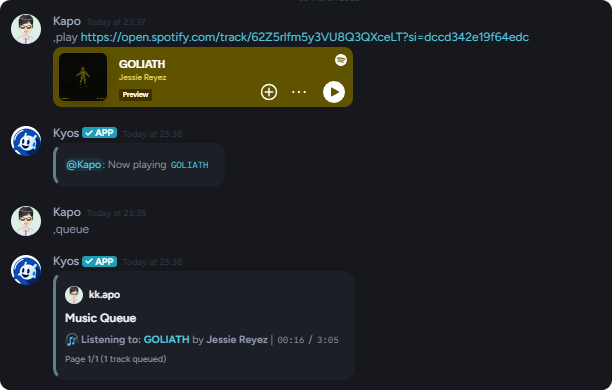
To view the currently queued songs, execute `queue` with **no query** or song link.
## Queueing Music
You can queue music with the `play` command.
You may search various sources with the `play` command
```javascript Syntax theme={null}
,play (query or URL)
```
```javascript Example theme={null}
,play GOLIATH
OR
,play https://open.spotify.com/track/62Z5rlfm5y3VU8Q3QXceLT
```
## Song Queueing
### Viewing the tracks in the queue
To view the currently queued songs, execute `queue` with **no query** or song link.
 ### Removing a track from the queue
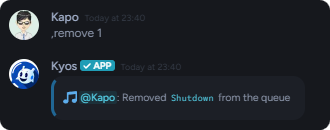
To remove a track from the [music queue](http://kyos.bot/server/music#viewing-the-tracks-in-the-queue), use the `remove` command
```javascript Syntax theme={null}
,remove (position)
```
```javascript Example theme={null}
,remove 1
```
### Removing a track from the queue
To remove a track from the [music queue](http://kyos.bot/server/music#viewing-the-tracks-in-the-queue), use the `remove` command
```javascript Syntax theme={null}
,remove (position)
```
```javascript Example theme={null}
,remove 1
```
 ### Moving a track in the queue
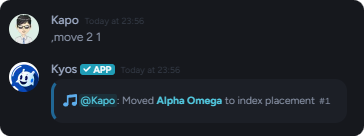
To [move](http://localhost:3000/server/music#moving-a-track-in-the-queue) a track in the queue, use the `move` command
```javascript Syntax theme={null}
,move (position) (new position)
```
```javascript Example theme={null}
,move 2 1
```
### Moving a track in the queue
To [move](http://localhost:3000/server/music#moving-a-track-in-the-queue) a track in the queue, use the `move` command
```javascript Syntax theme={null}
,move (position) (new position)
```
```javascript Example theme={null}
,move 2 1
```
 ## Controlling Music Player
To control your music player, use the following commands
Use the `skip` command to skip to the next track.
Use the `pause` & `resume` commands to control music pausing and resuming.
Use the `seek` command to seek to a specific position in the track.
```javascript Syntax theme={null}
,seek (position)
```
```javascript Example theme={null}
,seek 2:30
```
```javascript Example #2 theme={null}
,seek +30s
```
Use the `volume` command to change the volume.
The percentage must be between `0` and `100`.
```javascript Syntax theme={null}
,volume (percentage)
```
```javascript Example theme={null}
,volume 50
```
## Controlling Music Player
To control your music player, use the following commands
Use the `skip` command to skip to the next track.
Use the `pause` & `resume` commands to control music pausing and resuming.
Use the `seek` command to seek to a specific position in the track.
```javascript Syntax theme={null}
,seek (position)
```
```javascript Example theme={null}
,seek 2:30
```
```javascript Example #2 theme={null}
,seek +30s
```
Use the `volume` command to change the volume.
The percentage must be between `0` and `100`.
```javascript Syntax theme={null}
,volume (percentage)
```
```javascript Example theme={null}
,volume 50
```